
A walk through the app
Take one question through 553 volumes1
FRUS Explorer brings the Foreign Relations of the United States series to your iPhone, iPad or Mac along with powerful research tools that work offline. State Department historians edited the series with great care, and the app is built on their work. This tour starts with an overview of the editorial annotation they added to the documents published in FRUS. Then it follows one research question through a typical research process, from your first search to sharing reproducible findings.
Working on
How did Washington come to see the Soviet Union as its principal adversary, 1945–1950?
Most screens below come from a project built around this question. A few show other questions, which are noted in captions.
FRUS Explorer is an independent research tool, not an official product of the Office of the Historian or the U.S. Department of State.
Contents
§What FRUS historians built · one document, with its editorial annotation labeled
1The number of volumes in the app's catalog in November 2026. You choose which ones to download. ↩
Before Part I
What FRUS historians built
FRUS is an edited documentary history series produced by the State Department's Office of the Historian. The historians who compile the volumes select documents for publication after extensive research in classified records from across the foreign affairs interagency and then add editorial annotation to help readers place each document in its contemporary and archival context. They give each document a heading, a source note describing its original provenance and current archival location, and also add other footnotes as needed to help readers understand the text and locate other directly related records. The digital editions published by the State Department include all of that work as open TEI data. The tools highlighted in this tour are extensions of their foundational work.
Here is one document, with its editorial annotation labeled: the record of Secretary of State George Marshall's meeting with Stalin at the Kremlin on April 15, 1947, five weeks into a foreign ministers' conference in Moscow that ended without agreement on Germany or Austria.

A · Heading
The editors create a heading for every document they print. This one names only the kind of document; its footnote says who probably wrote it.
“A heading has been supplied by the editors for each document included in the volume.”
In the appSearch results, Browse, Chronology and every citation use these headings.

B · Classification marking and date line
The original classification marking, place and date. Brackets show what the editors added: here, the place. The documents are printed in date order.
In the appChronology and Administrations put each document on the date the editors gave it. Search filters and analytics scope pickers use these dates to give users a way to narrow focus and zero in on key moments. Search results and Source Explorer show the classification marking, whether the volume prints it above the dateline, as here, or in the source note.
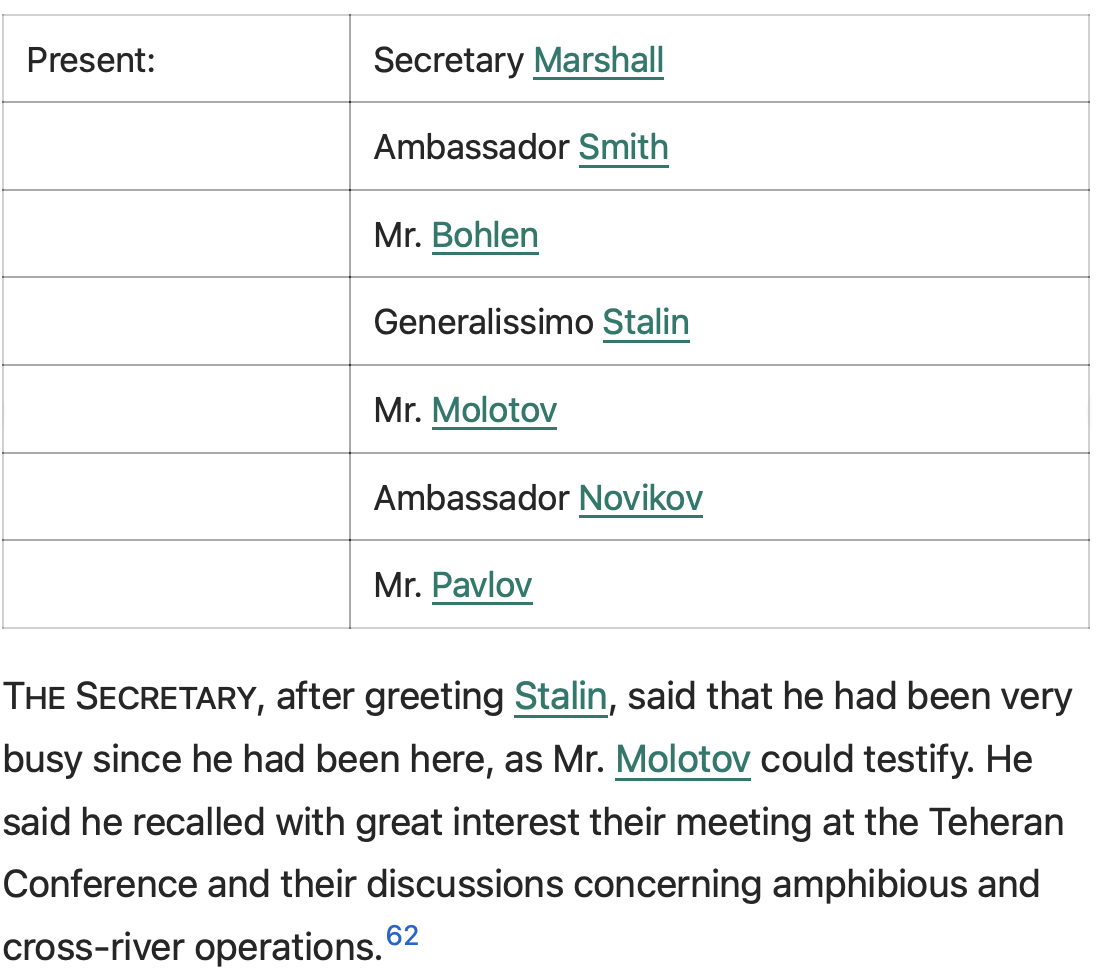
C · People
In half of the volumes in the series, and nearly all covering 1955 and later, editors tagged the key people named in the text and included a list of persons in the front matter to describe the roles they held: Stalin is “Chairman of the Council of Ministers of the Soviet Union.” Here every one of the seven meeting participants is tagged. The editors assembled these lists volume by volume; the app rolls those volume-level lists and tags into consolidated identities.
In the appPerson cards, the People list, Person Analytics and the person filter in Search. Each volume's page says whether its editors tagged its people.

D · Source note
The source note explains where the underlying record was found and, in recent volumes, its original operational context. The app focuses on the first part of the source note: the document's archival provenance, including the archive, collection and file that held the original record. Here, it is a State Department decimal file number. This volume prints it above the heading; more recent volumes include this information in each document's first footnote.
“The first footnote to each document indicates the document’s source, original classification, distribution, and drafting information.”
In the appSource Explorer, the Archives Visit plan, the archival provenance facet in Search and Archival Analytics all start here.
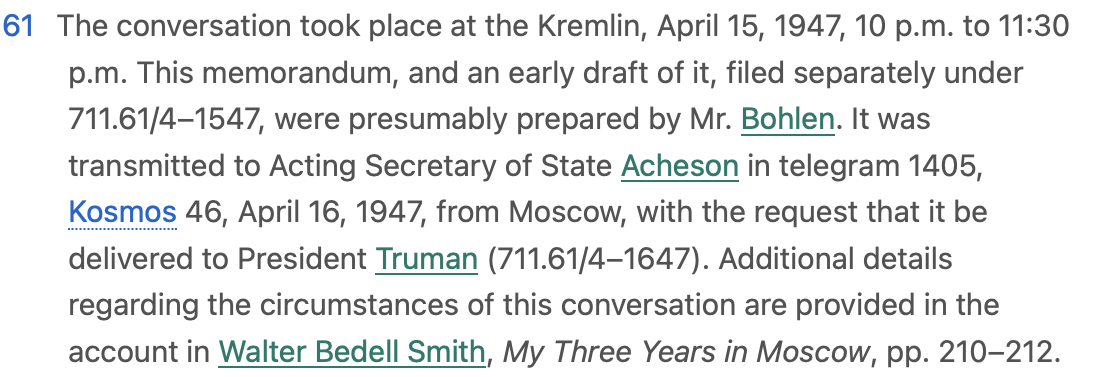
E · What wasn't printed
An early draft of the memorandum survived, and the volume didn't print it. Instead, the editors cited the draft's archival location so researchers have a trail to follow if they want to investigate further. In the same note, the editor also identified who probably wrote the record, how it reached the President, and where one of the participants told the story in a memoir.
In the appThe Archives Visit lists files like this one, so your trip can cover them too.

F · Cross-reference
The editors provide cross-reference citations to related documents printed elsewhere in the series: here, a volume on the wartime conferences. This document has seven such notes, spanning Tehran and Yalta to regular volumes for 1945, 1946 and 1947.
In the appIf the volume is already on your device, the link opens the document directly. Otherwise, it offers to download the volume. The Cross-Reference Graph is built from these editor-asserted connections among FRUS documents.
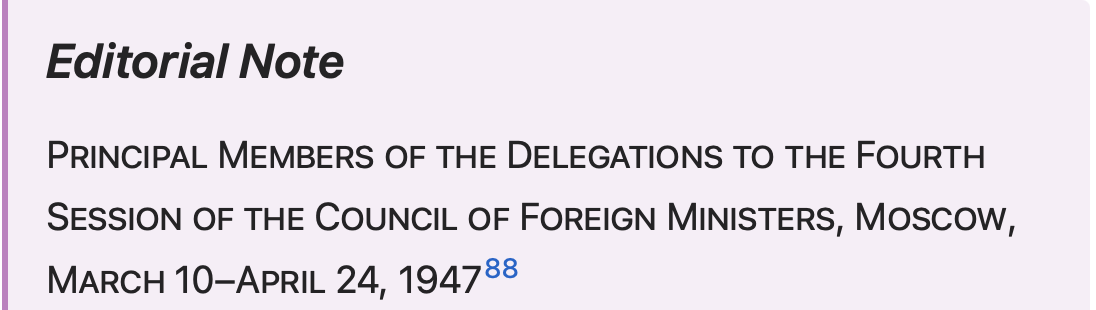
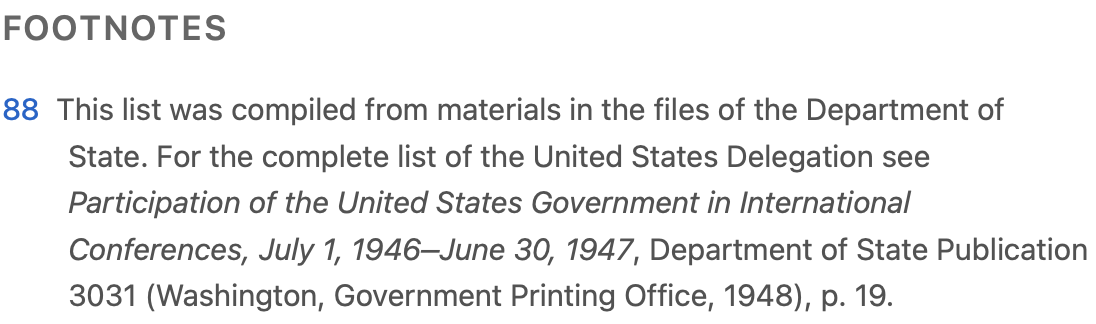
G · Editorial note
Editors often summarized documents that they decided not to include in volumes in editorial notes. Editorial notes can also provide other kinds of annotation. This one, which appeared at the outset of the volume's documents on the Moscow conference, lists who came and explains where the information was found.
“Editorial notes and additional annotation summarize pertinent material not printed in the volume.”
In the appYou can search editorial notes, or show only editorial notes in Search, using the editors' own labels.
2Source notes matched to a document, counted in the app's own data, November 2026. ↩
3Links between volumes, counted in the app's own data, November 2026. ↩
4Volumes whose documents link the names in them to their list of persons, counted in the app's own data, November 2026. ↩
How this tour labels sources
In the app, provenance means where something comes from. A document's archival provenance is the citation you need to locate and access the underlying original record. A number or a name has a provenance too: the source the app took it from. Where the app shows that source, it uses small labels such as FRUS text, FRUS + NARA catalog and This app's model. Each step of the tour below labels its sources as well:
From the editorsThe documents and their editorial annotation. In the app: FRUS text.
From other recordsThe series augmented with another source, such as the National Archives catalog or the Office's subject tags. In the app: FRUS + NARA catalog, FRUS + OH subjects and the like. The correlation and reconciliation decisions required to combine information from different data sources reflect judgments made during the development process and incorporated into the app.
Made by the appWorked out by the app, with a model or a scoring rule. In the app: This app's model or FRUS + this app's word lists. These models and rules also reflect judgments made during the development process.
YoursYour own annotations. In the app: Your reading.
Part I
Finding what you need
Search everything you've downloaded, ask questions in your own words, and browse the series in new ways. Every path leads to a document, and every document leads to others.
Search · Mac
1.Search what you've downloaded
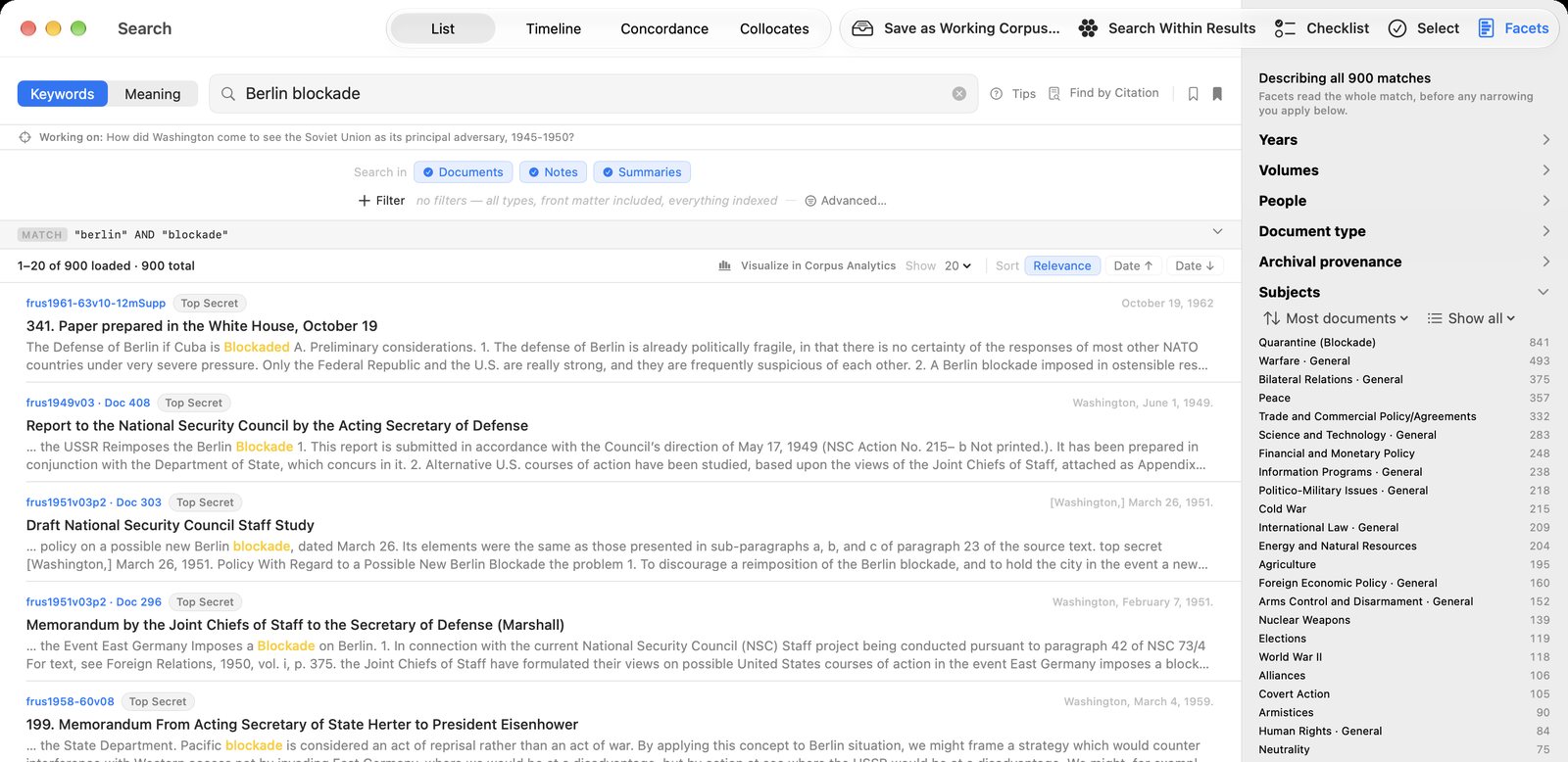
Keyword search works offline across every volume you've downloaded. Put a phrase in quotation marks. Use NEAR() to find words close together, and =word to match only that exact word. Use facets to see how results break down by year, volume, person, document type, archival provenance and subject.
The Query Inspector shows exactly how the app applied your search in the index database, so you can see what each component of complex queries returned and have confidence the results reflect your intent. You can read your results four ways: List, Timeline, Concordance (every match lined up on your word) and Collocates (the words that often appear near your own query).
Checklist mode turns a long list of results into a to-do list. A result drops off the list once you open it or mark it reviewed, and Mark Page Reviewed clears a page at a time.
From the editorsThe person, document type and archival provenance facets use the editorial annotation: the people the editors tagged, whether an item is a document or an editorial note, and the source note under it.
From other recordsThe subject facet uses the Office's subject lists, matched by name. The app distinguishes these retroactive tags from the editorial annotation in the published volume.
Search ▸ Meaning · iPad Experimental
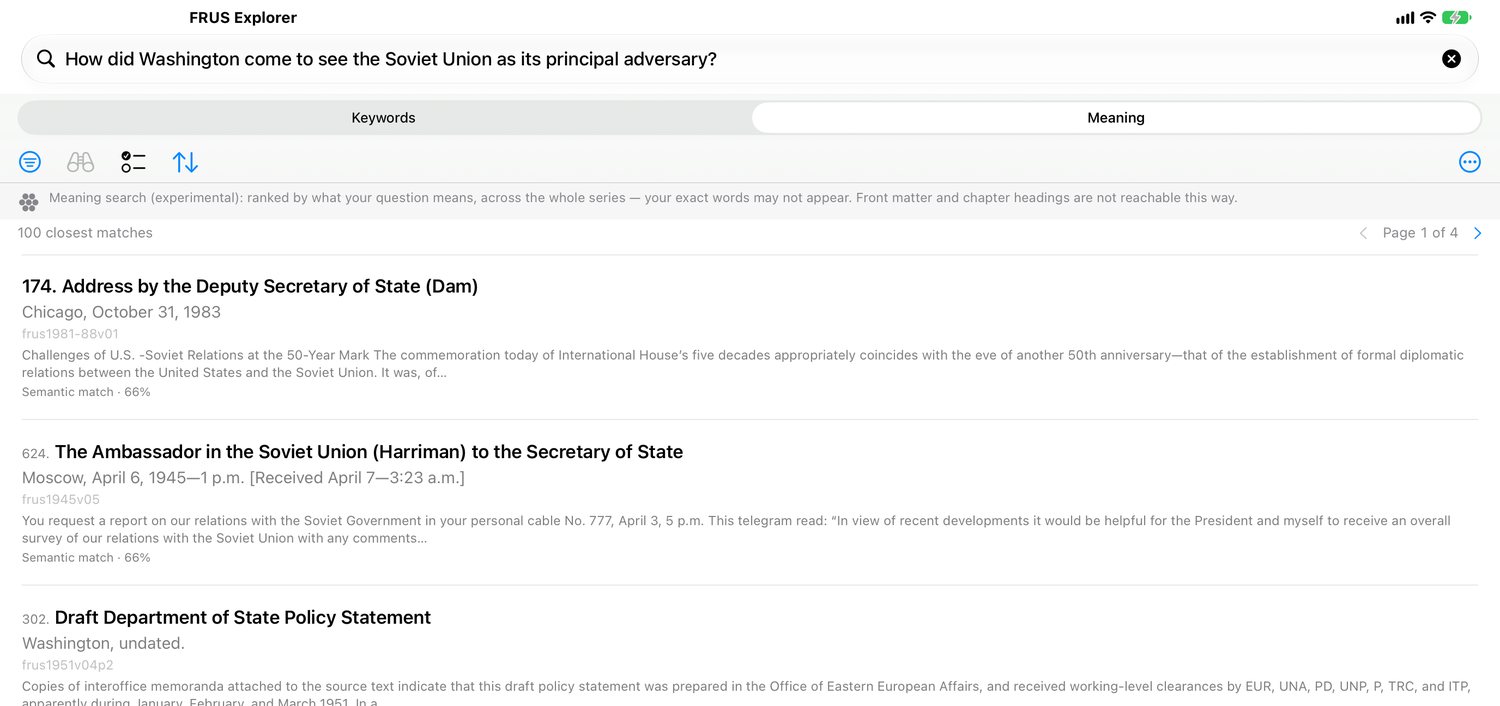
2.Meaning search mode
Switch Search from Keywords to Meaning and type a question. A language model measures what your question means and compares this measurement to those it has already taken for each document. The app returns the 100 closest matching documents, so a document can match even if it doesn't use the same words as your question. Each result shows a Semantic match score. Semantic means “having to do with meaning,” so the score tells you how close the model judges your query's and the document's meanings to be.
Each document was measured ahead of time with the same model; your question is measured when you ask it. The model is an optional download (310 MB), and it runs privately, on your device.
It can't search front matter or chapter headings.
Made by the appThe ranking comes from the app's model reading each document.
Browse · iPad
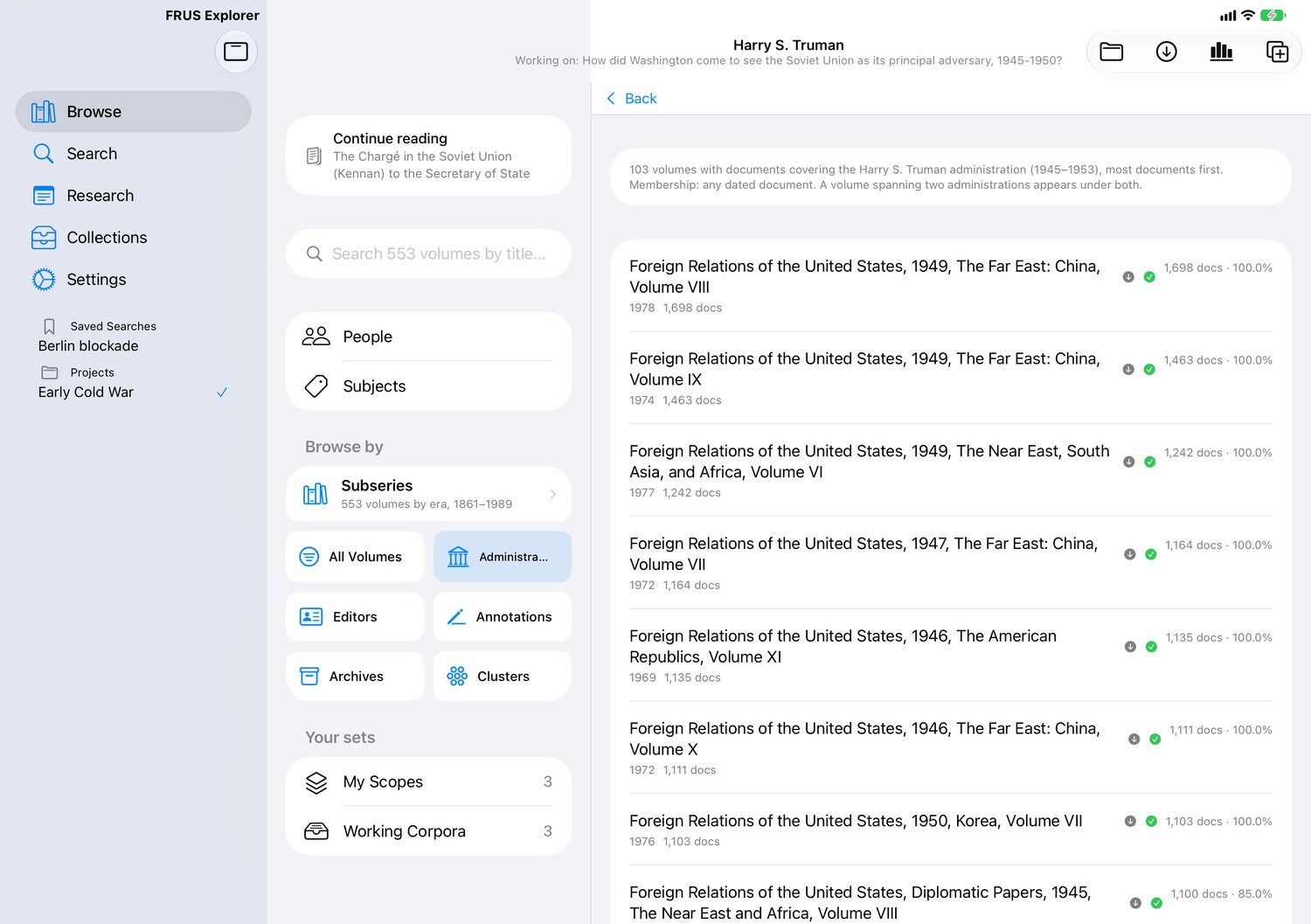
3.Choose how to browse among volumes
Explore the series by subseries, presidency, editor, archive, or the editors' annotations. You can also use lists of tagged people and subjects as your starting point for finding relevant volumes. Your own volume scopes (sets of volumes you choose) and working corpora (sets of documents you save, see 8) sit beside them.
Administrations groups volumes by the dates of their documents, not by when they were published. A volume that covers two presidencies shows up under both.
From the editorsSubseries, volumes and editors are published metadata. Archives sorts the series by the sources the editors cited.
Related Documents · iPad
4.See similar documents
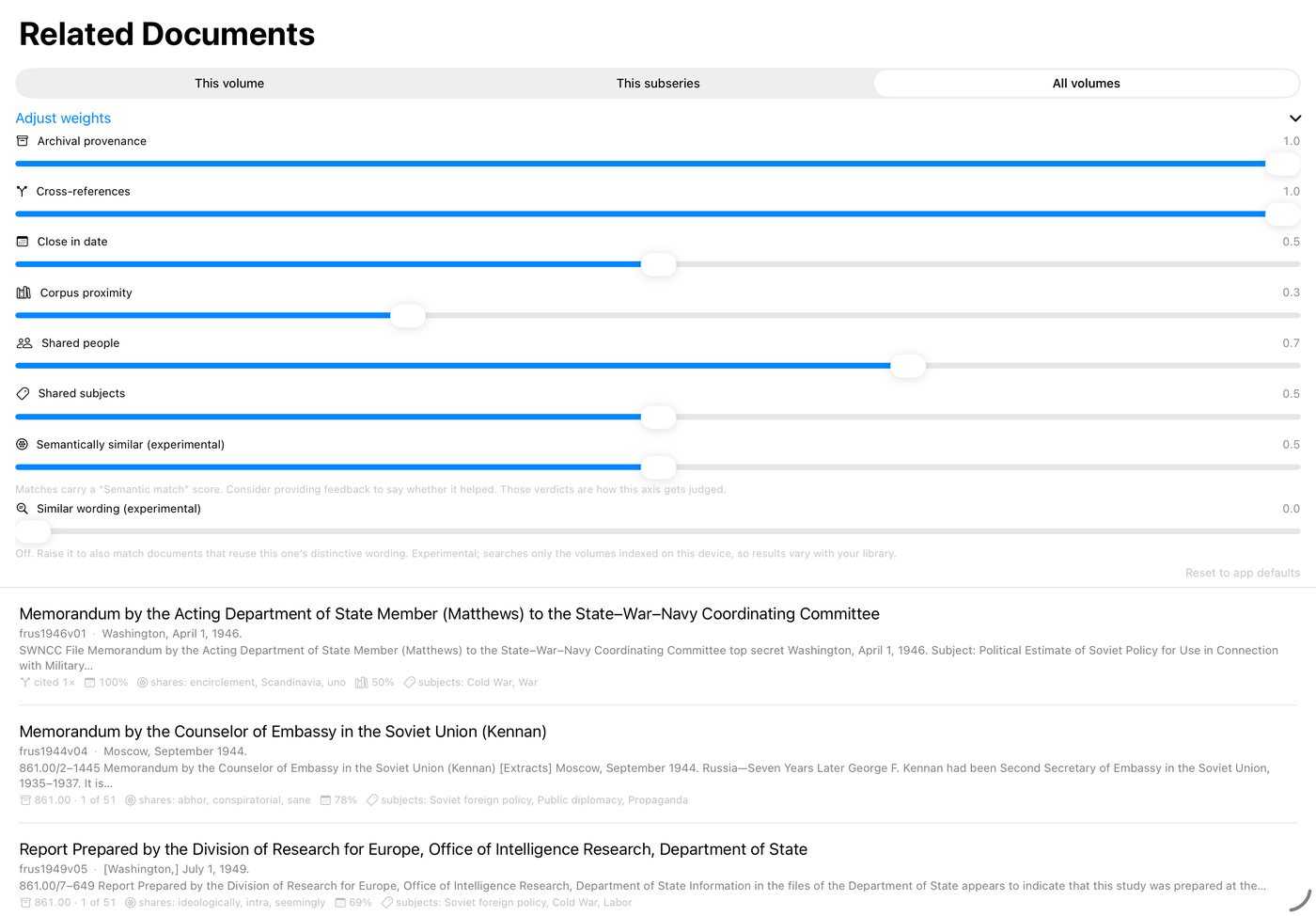
The Related tile ranks other documents by what they share with the one you're reading. It weighs eight measures: archival provenance, cross-references, closeness in date, corpus proximity (how near each other the editors placed two documents), shared people, shared subjects, semantic similarity and similar wording. Look in this volume, this subseries or all volumes. You can change how much each measure counts.
Two of the measures, semantic similarity and similar wording, are experimental. Each result shows the similarity axis and measurement that surfaced it as related.
From the editorsFive of the measures come from the editorial annotation: archival provenance, cross-references, the dates the editors gave, corpus proximity and the people they tagged.
From other recordsShared subjects come from the Office's subject lists.
Made by the appSemantic similarity and similar wording are worked out by the app, and marked experimental.
Browse ▸ People · iPad
5.Follow a person across the series
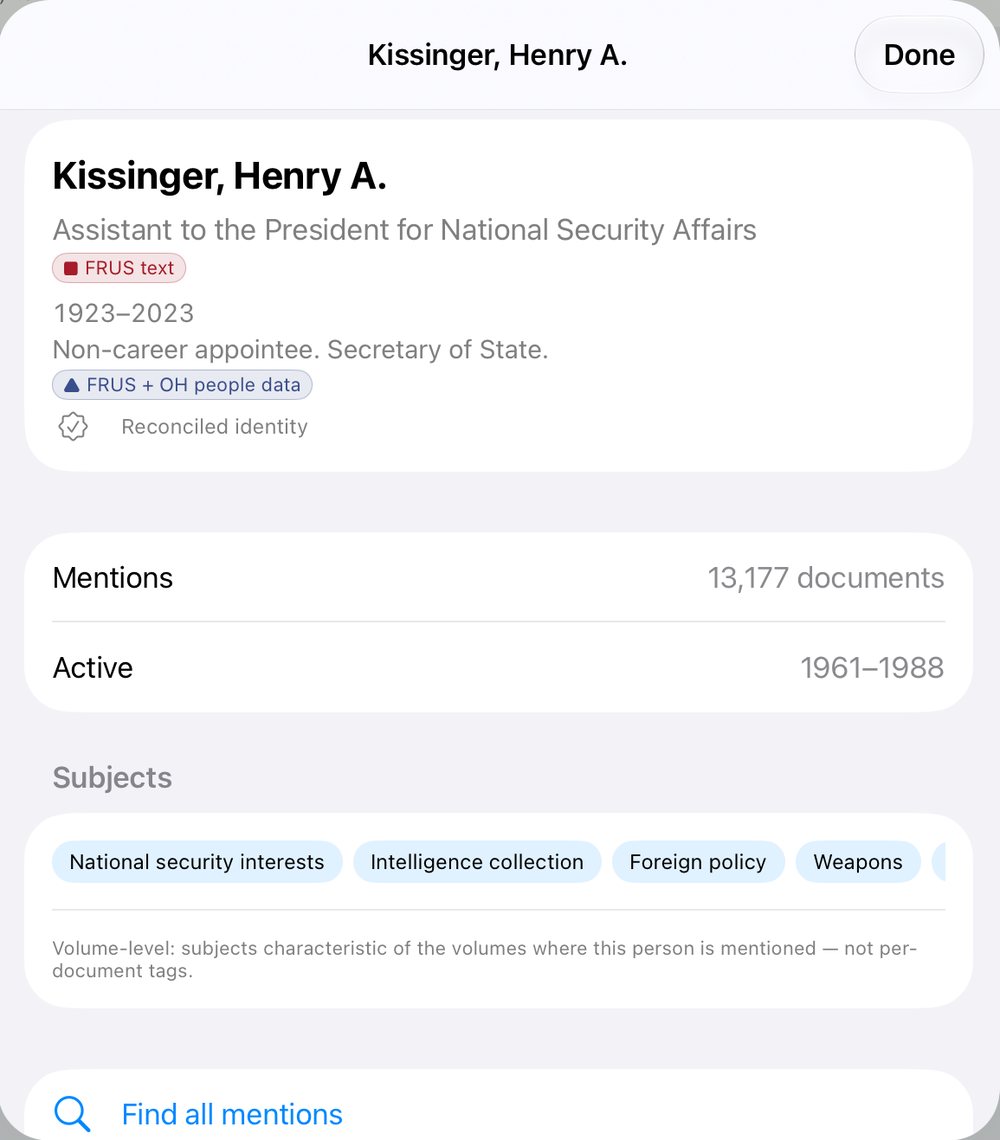
The People list brings together everyone tagged in the volumes you've indexed. One person often appears under several spellings, such as “Kissinger, Henry A.” and “Kissinger, Henry.” The app joins them into one entry, with the role the volumes give and the years the person appears in them.
Open a person to see their career, the subjects of the volumes that name them, and Find all mentions. Person Analytics charts who is mentioned when, compares up to five people over time, and draws a network of the people most often tagged in the same documents.
If the app joins two different people by mistake, you can separate them. People are tagged in 288 of the 553 volumes, and only those volumes' people appear in the People list. The list says so, and links to the volumes that tag people. In the others, search for the names.
From the editorsThe people the editors tagged in the text, and the roles their lists of persons give.
From other recordsLife years and posts come from the Office's working data on people, with gaps filled from its published Principal Officers and Chiefs of Mission database. The app joins and reconciles these data sources.
Part II
Managing your research
The app tracks your highlights, notes, tags, projects and collections so they persist and sync through your iCloud account. The app never sends your data or your usage to the developer.
Reader and Research rail · iPad
6.Add your own annotations as you read
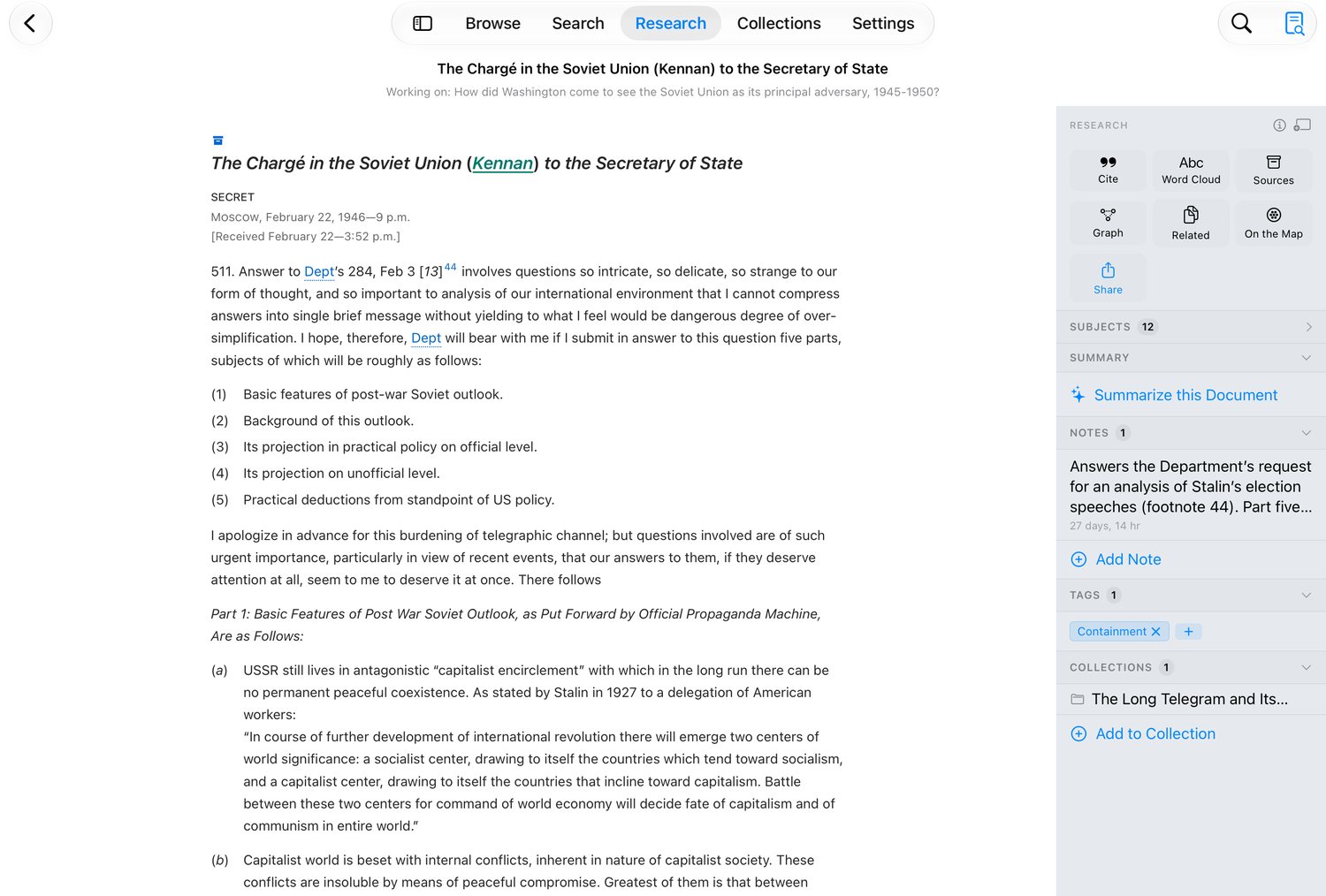
Documents appear as the Office of the Historian published them, with working footnotes, cross-references and links to people. You can also add your own annotations: highlighting in four colors, your own notes, and tags you create.
The Research rail next to the text holds Cite, Word Cloud, Sources, Graph, Related, On the Map and Share. Below them are the document's subjects and summary along with your notes, your tags, and the custom collections that include the document.
Summaries come from Apple Intelligence on your device. You can generate a summary as you read each document or start a batch run over a volume, a tag, a saved search, or a range of years. A large run takes hours. Any summary can then become the start of a note, which you correct and finish in your own words.
From the editorsHeadings, footnotes, cross-references and links to people are the editorial annotation. Where feasible, the app turns references and links into interactive controls that take you to the applicable document or information.
Made by the appApple Intelligence writes the summary, which the app always labels as generated so it can never be confused with editorial annotation or the user's language.
Research · Mac
7.Track everything you've marked up
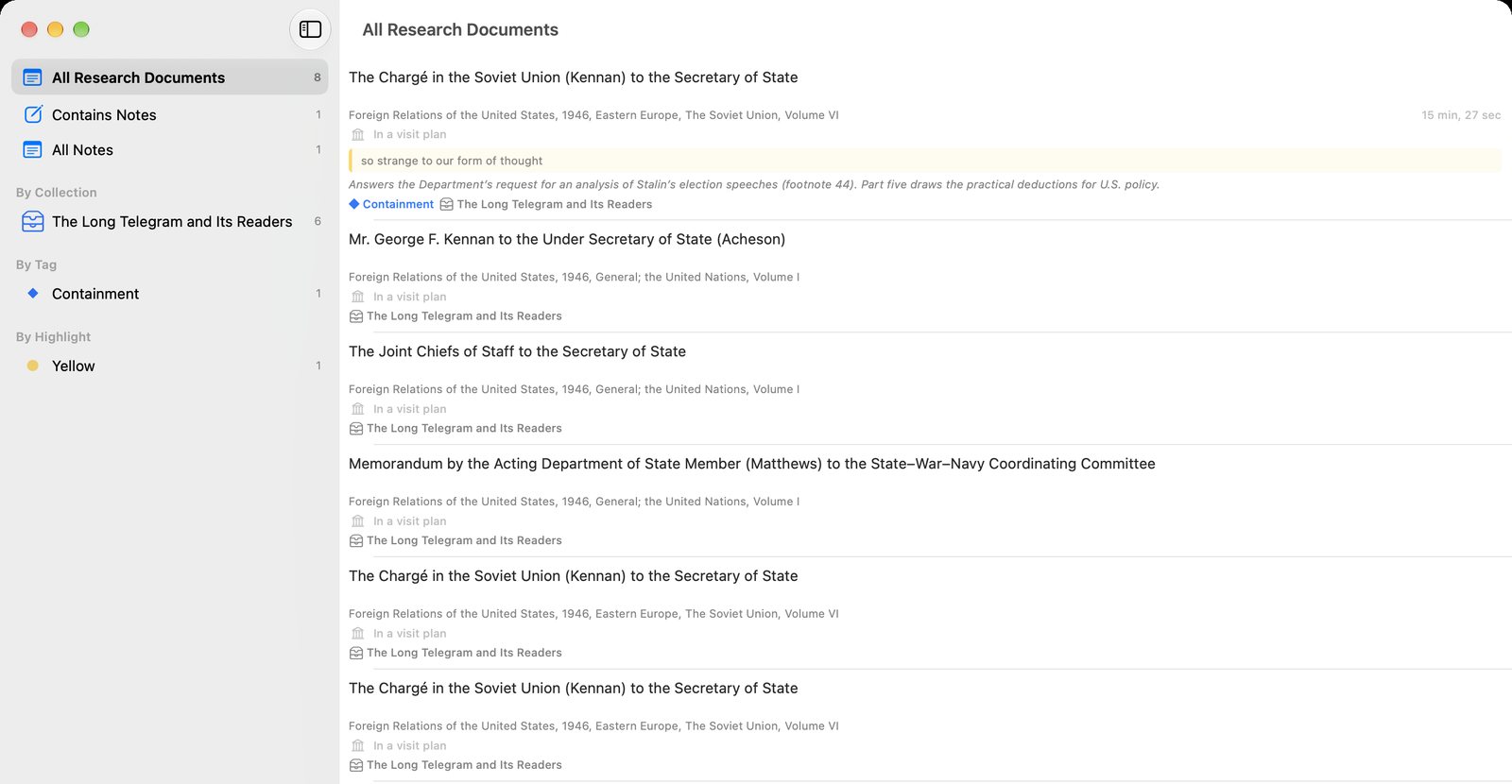
Research gathers every document you've worked on, with your highlights and notes shown. Sort it by collection, tag or highlight color. History keeps a record of what you opened, searched, and exported.
Use projects to keep one paper or course apart from the rest. Its research question appears at the top of the screen. Suggested Next, on Project Home, uses the same similarity detectors as the per-document Related feature to suggest leads to other documents from tags or collections you've associated with the project.
Plan a Visit, also on Project Home, starts an Archives Visit plan from the project's documents' source notes and footnotes, with your research question at the top.
YoursThe app stores your notes, tags and highlights separately from the published text.
Browse ▸ Working Corpora · iPad
8.Save a set of results to come back to
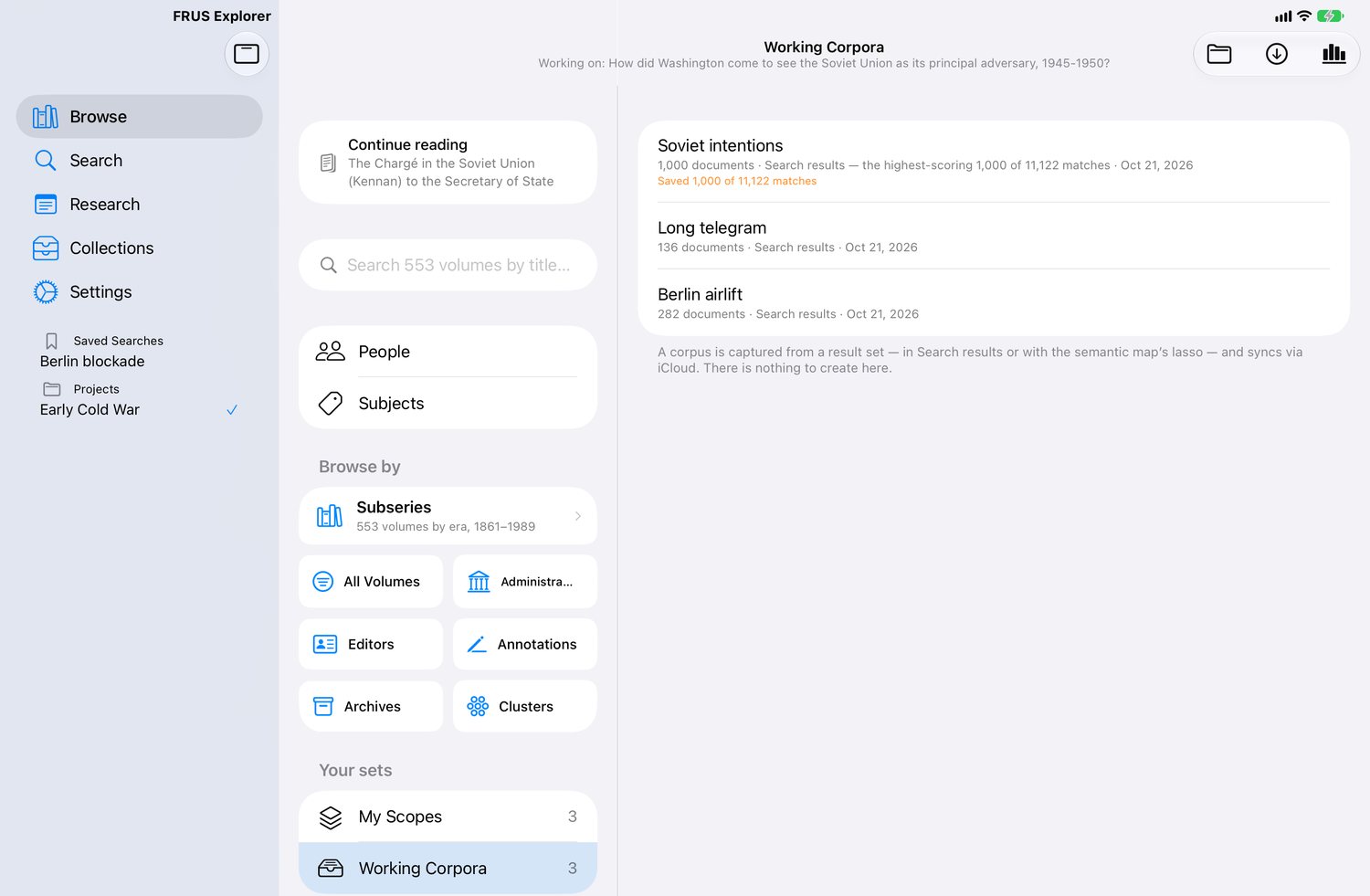
Save a search's results, or a group of documents you lasso (draw a loop around) on the semantic map, as a working corpus. A corpus is a body of texts that you study. A working corpus is a fixed set of documents, a snapshot of one set of results. Later you can search inside it, and you can name it as the underlying sources an argument rests on. Saved searches keep your search query and its filters, and show what's new since you last ran them as you download additional volumes or new volumes are published.
Each working corpus says how much of the result set it holds when a query exceeds device limits.
Source Explorer and Archives Visit · iPad
9.Follow footnotes to archives
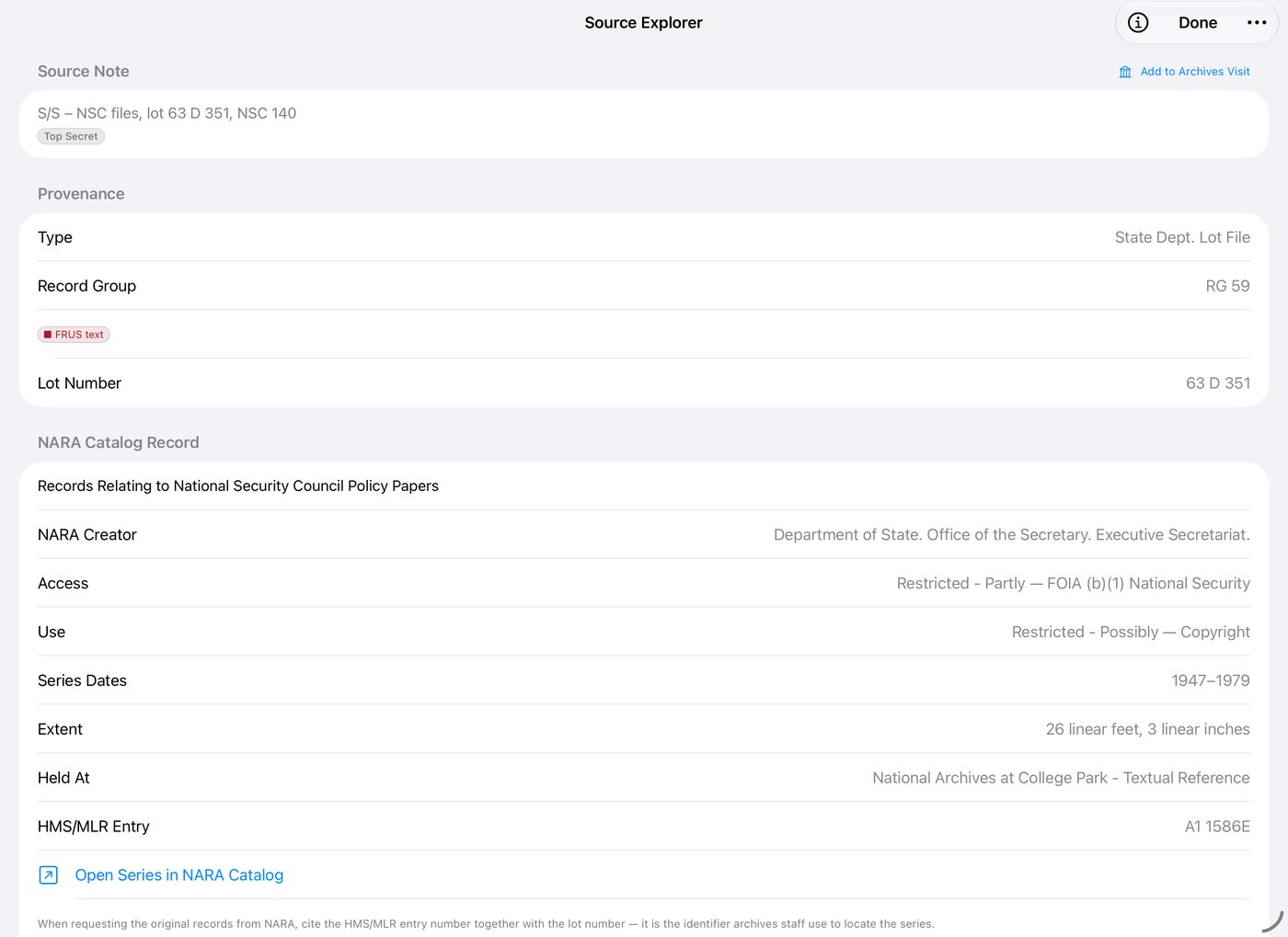
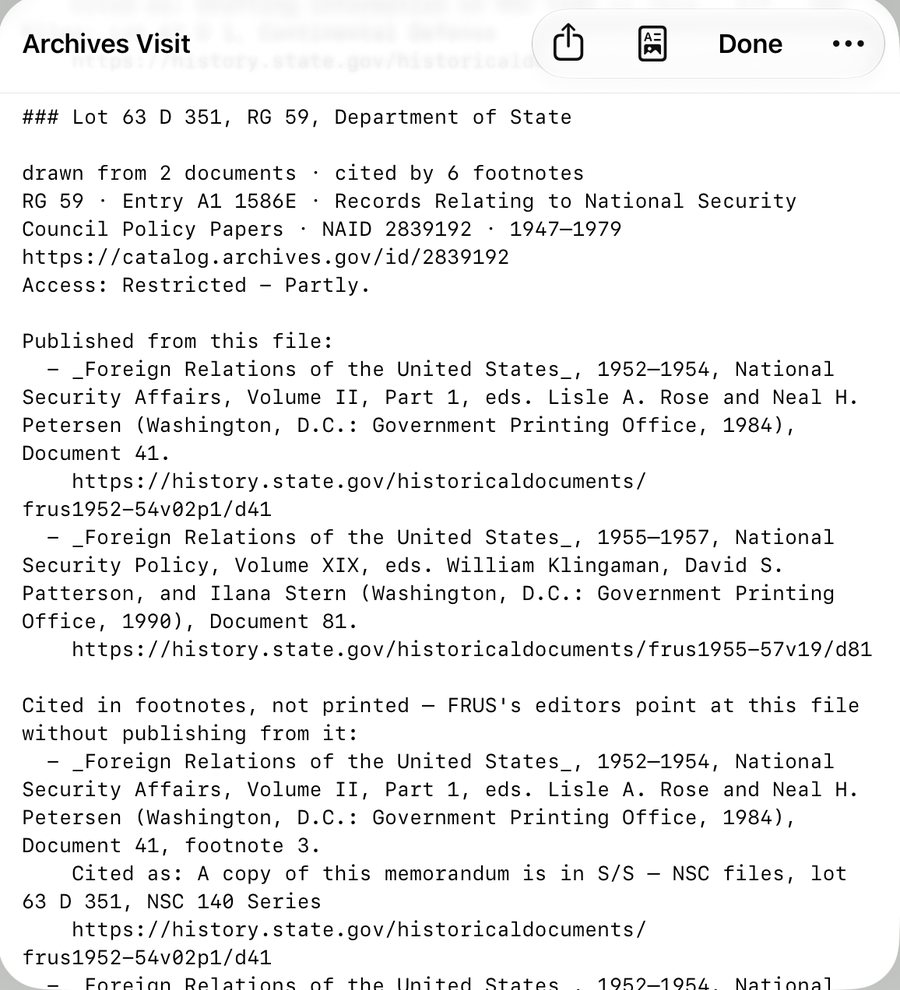
Most documents have a source note from the editors that provides its archival provenance. Source Explorer reads that note and looks it up in reference data built into the app. For many documents, the app shows you the record group, lot file, entry, and/or filing manual that you need to access the original record copy at the applicable repository. Archival Neighbors lists the other documents, in any volume you've indexed, that came from the same source, such as the same lot file or the same decimal class. Unprinted Material lists the files a document's footnotes cite that FRUS didn't print. A free NARA Catalog API key from the National Archives enables live lookups.
FRUS Explorer is not affiliated with, endorsed by, or sponsored by the National Archives and Records Administration. NARA Catalog data is provided by the National Archives and is subject to its terms of use.
An Archives Visit turns documents you've selected into a roadmap for a research trip. It compiles information from source notes and footnotes to identify relevant archival collections or central file classes, lets you triage your list of files to examine, and even provides draft text for an inquiry email so you can initiate a dialogue with the archivists who know the records best.
From the editorsIt all starts from the editors' source note. The app reads the note and matches it to reference data built from the volumes' own lists of sources.
From other recordsCatalog records, access rules and entry numbers come from the National Archives catalog. The app joined and reconciled source note citations with NARA Catalog data in a bundled index that works offline.
Part III
Visualizing results
Build charts from the volumes on your device and use them as gateways to the documents behind them. See the series as a map of model-measured clusters.
Corpus Analytics · iPad
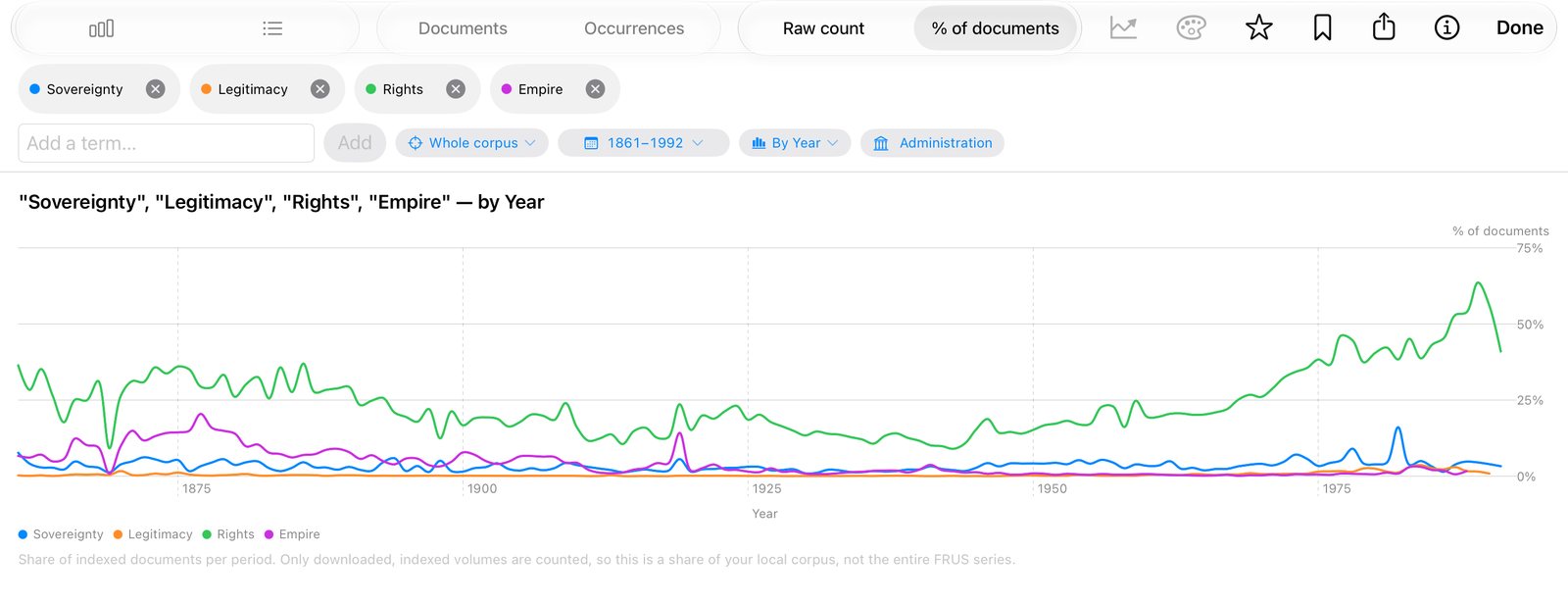
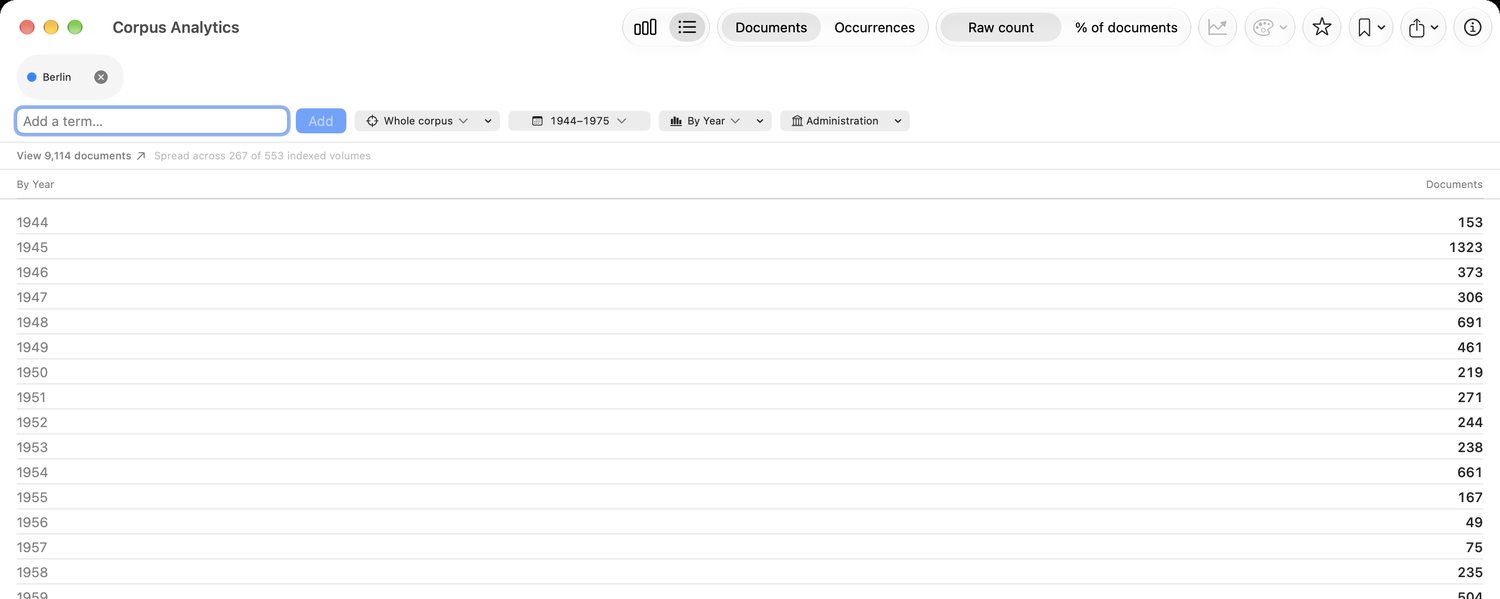
10.Chart a word or phrase across the years
Corpus Analytics works across what you have downloaded to your device. Chart one word or phrase, or compare several, as a raw count or as a share of all documents. List the documents behind the chart as search results.
From the editorsThe counts measure what appeared in the documents selected for publication. Read a spike as editorial attention that may or may not reflect the broader underlying archival record.
Made by the appThe app works out the counts and shares from the volumes on your device.
Chronology · iPad
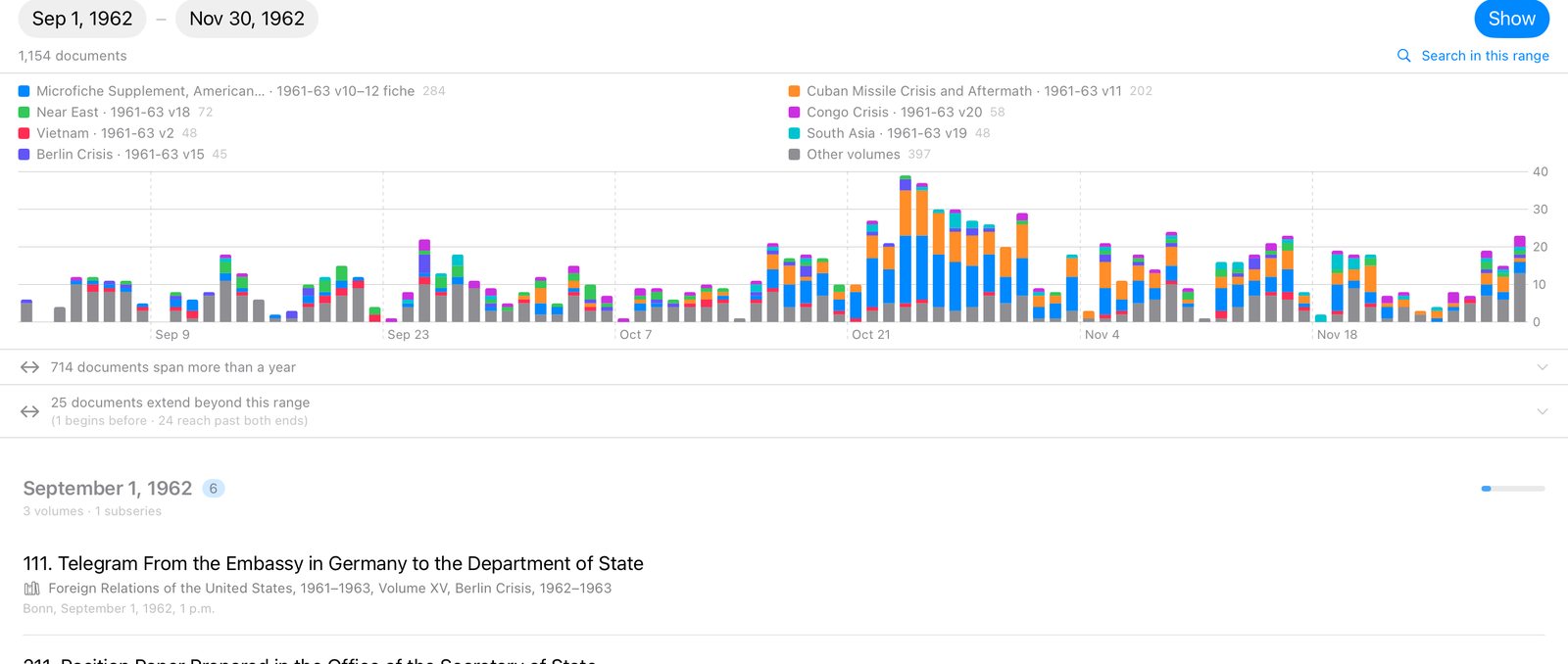
11.Look at how documents fall across a timeline
Pick a date range, and Chronology charts every dated document in it from every volume on your device, colored by the volume that printed it. The list below the chart goes day by day.
The list shows up to 5,000 documents. The chart covers the whole range.
From the editorsEach document sits on the date the editors gave it, as exactly as they gave it. Documents that cover a span of dates, mostly editorial notes, are listed separately.
Cross-Reference Graph · iPad
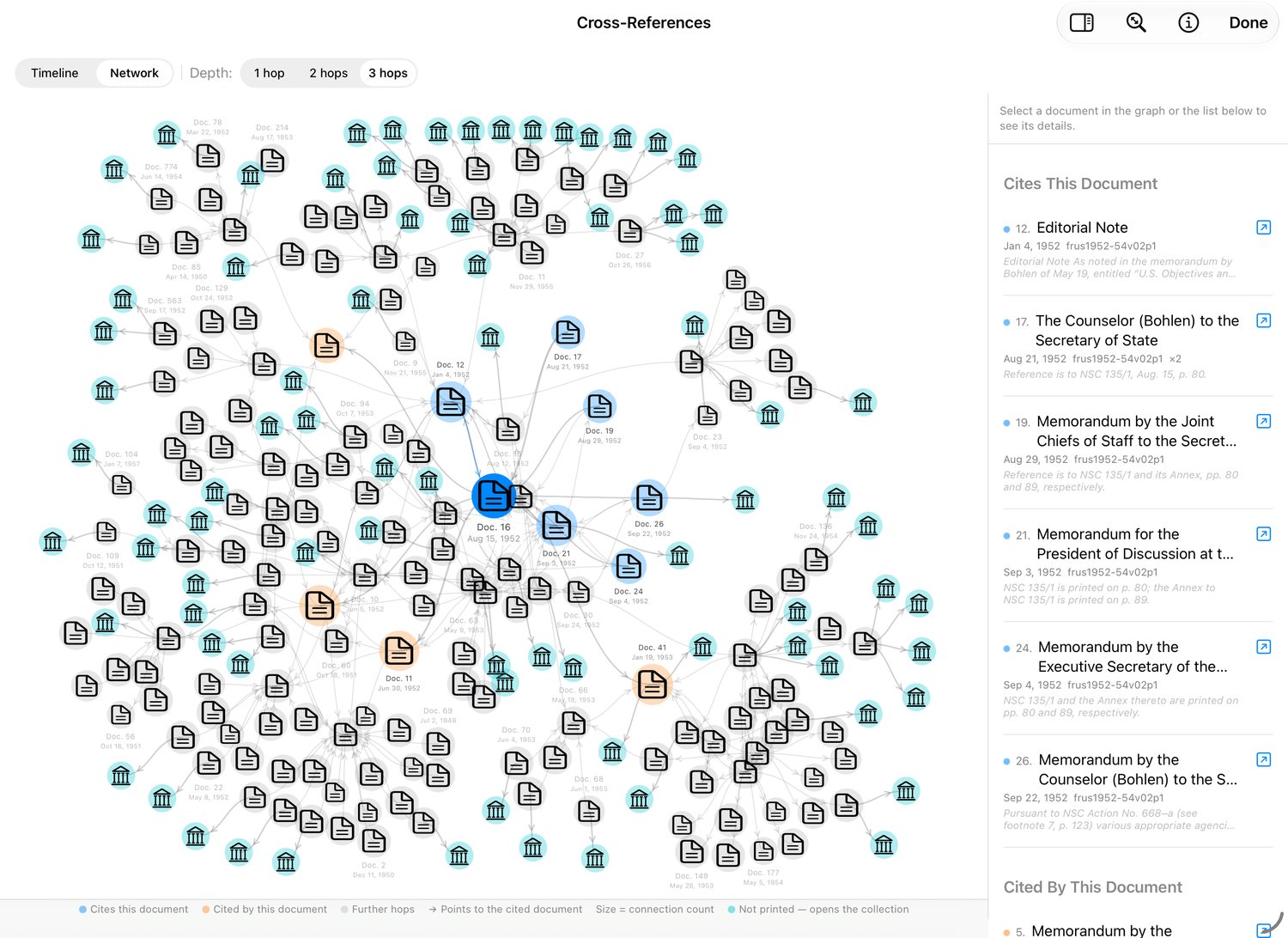
12.Follow the editors' cross-references
The Graph tile in a document's research rail visualizes both its outgoing and incoming cross-references, up to three hops away, as a network or a timeline. A hop is one cross-reference: one hop reaches the documents linked to the selected starting point, and two hops extends the graph to the documents linked to those. Files the editors cited but didn't print show up as their own points and provide information about the archival collection that holds them.
Cross-Reference Analytics ranks the most-cited documents in your library.
From the editorsEvery line in the graph represents one of the editors' footnotes: a cross-reference to a printed document, or a footnote citation to a record they didn't print.
Made by the appRankings such as Landmark Documents are worked out from cross-references, and measure how the editors linked documents, not how important a document was.
Semantic Analytics · iPad Experimental
13.See the whole series at once on a map
The semantic map places 314,616 documents5 by meaning, so documents whose language was measured by a model as alike sit close together. It labels each of these clusters by the words that set it apart. Tap a document to open it directly or see a list of its closest semantic neighbors. Lasso a group to define a working corpus.
Made by the appThe map reflects a model's reading of the language in every document.
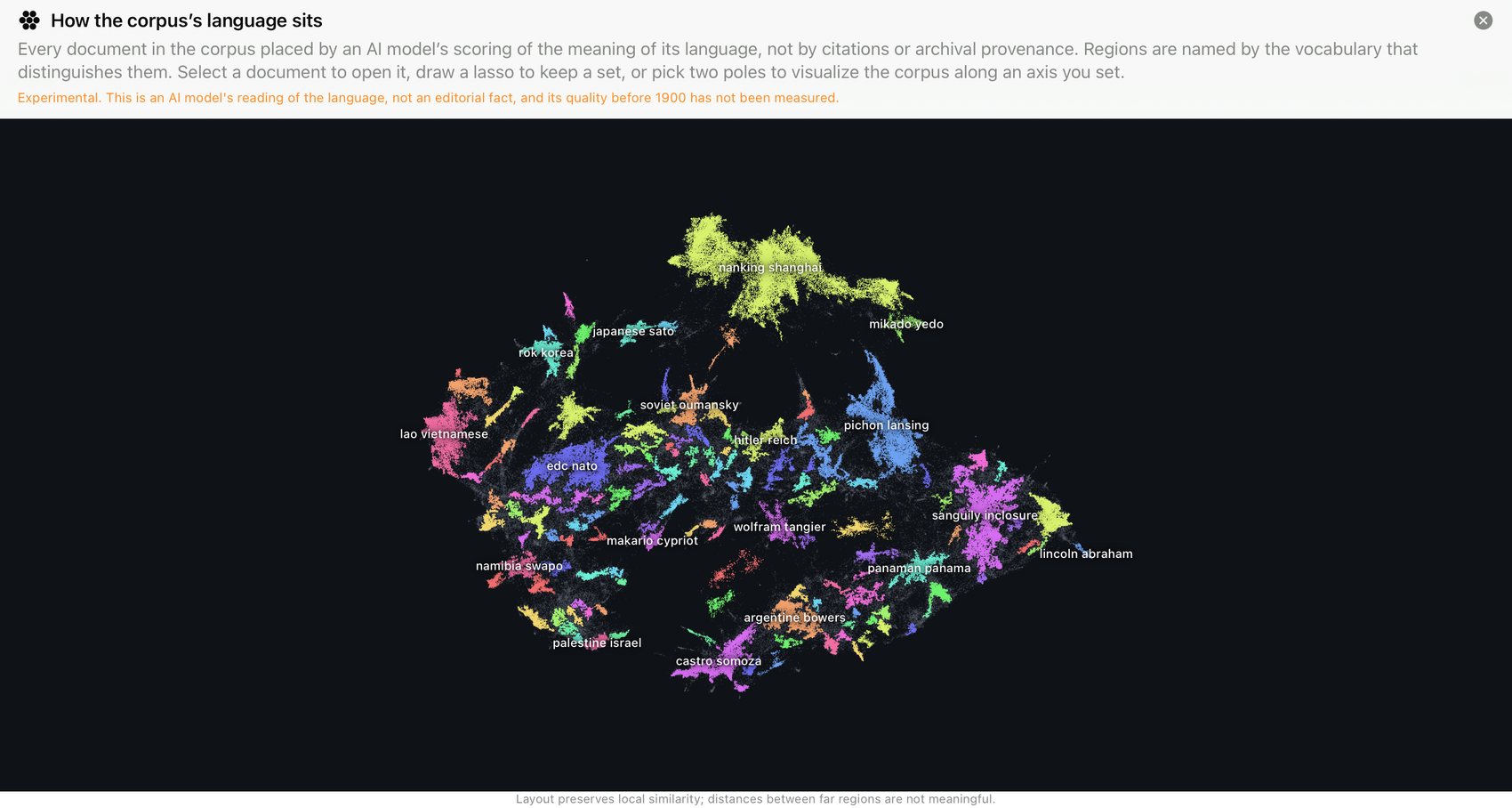
Experimental. The map keeps similar documents close together. Distances between areas that are far apart don't mean anything.
5Documents placed on the map, counted in the app's own data. ↩
Research Guide ▸ About the Series and Browse ▸ Annotations · iPad
14.Learn how the series itself has evolved
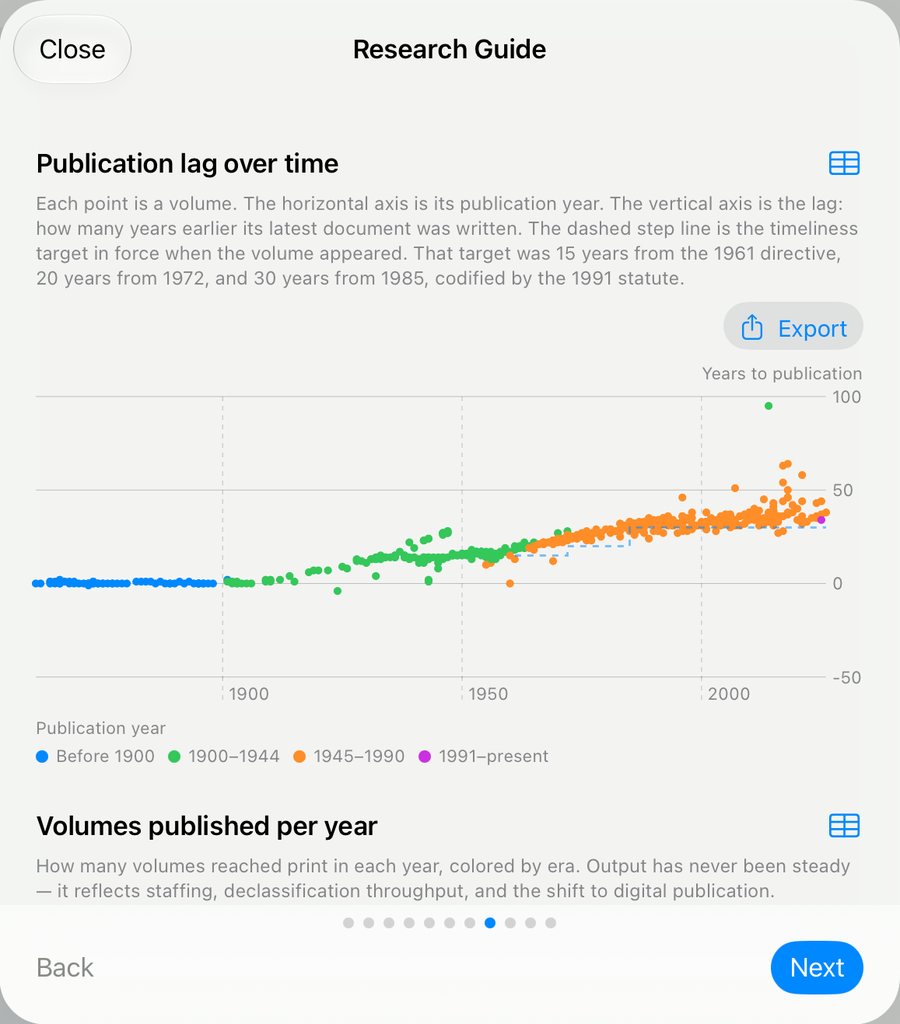
Four charts about the series itself work before you download a single volume: Production & Timeliness, Geographic Emphasis, Archival Sourcing and Administration Profiles.
Publication lag compares each volume with the deadline in force when it came out. The deadline was 15 years under a 1961 rule, 20 from 1972, and 30 from 1985. A 1991 law made the 30-year deadline official.
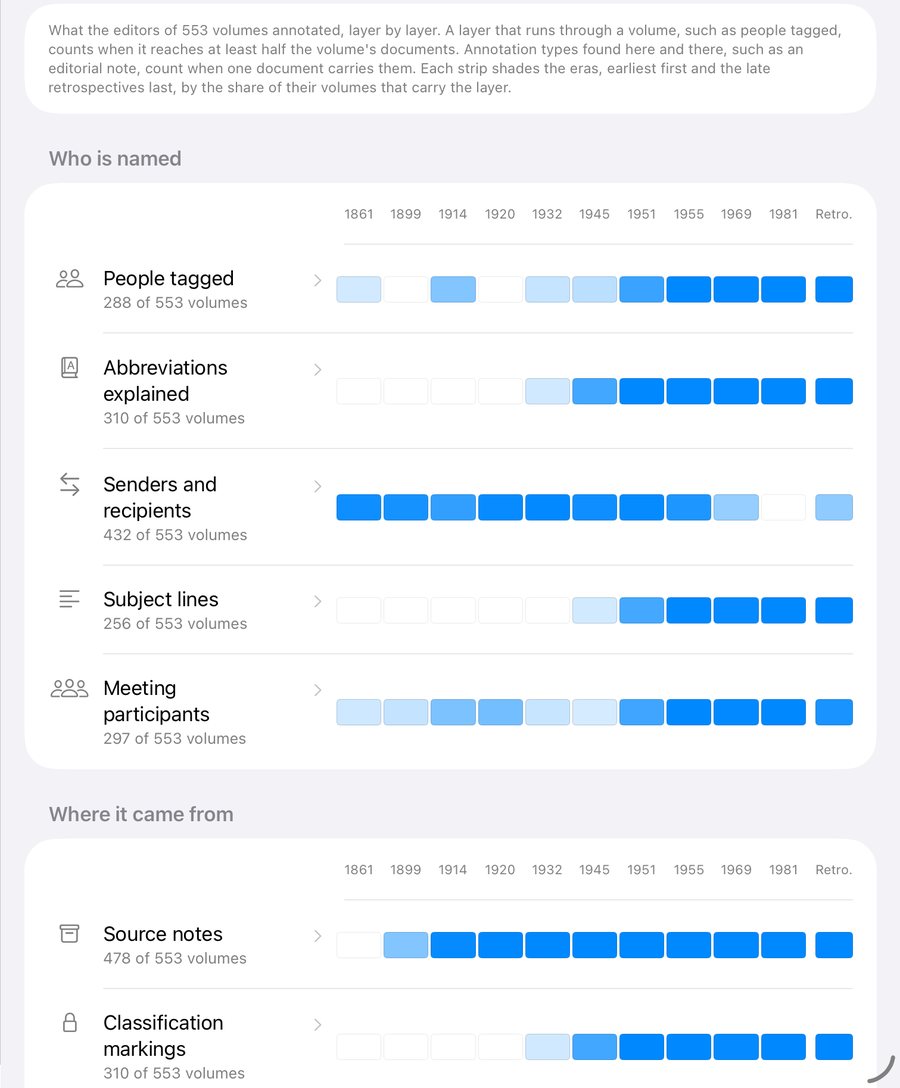
Editors’ Annotations shows how the editors' practices changed. For sixteen kinds of annotation, from tagged people and source notes to cross-references and lists of abbreviations, you can see where a practice began and where it never took hold. Tap an annotation type to list the volumes with it and without it. On iPad and Mac, the annotation types and eras form a table whose cells open one era's volumes.
From the editorsThese charts read the series' record of itself: when each volume came out, the years its documents cover, and the sources its editors cite. The Editors’ Annotations axis counts the annotation in each volume's own text.
Part IV
Sharing findings
Citations, custom collections, archives visit plans, and charts leave the app in formats other people already use.
Cite and Share · iPhone, iPad and Mac
15.Cite as you write
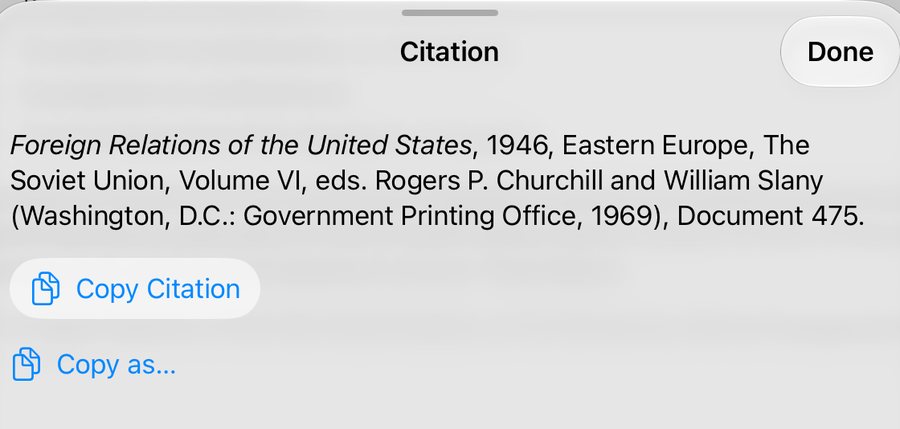
The Cite tile copies a document's citation in History at State style, or in Chicago or Turabian style. It can also format it as BibTeX or RIS. Share sends the document to your Zotero library with your tags and notes, or sends the citation and its history.state.gov link to anyone.
From the editorsEach citation names the volume's editors and the document's number, and links to the page where the Office publishes its authoritative form.
Collections · iPad
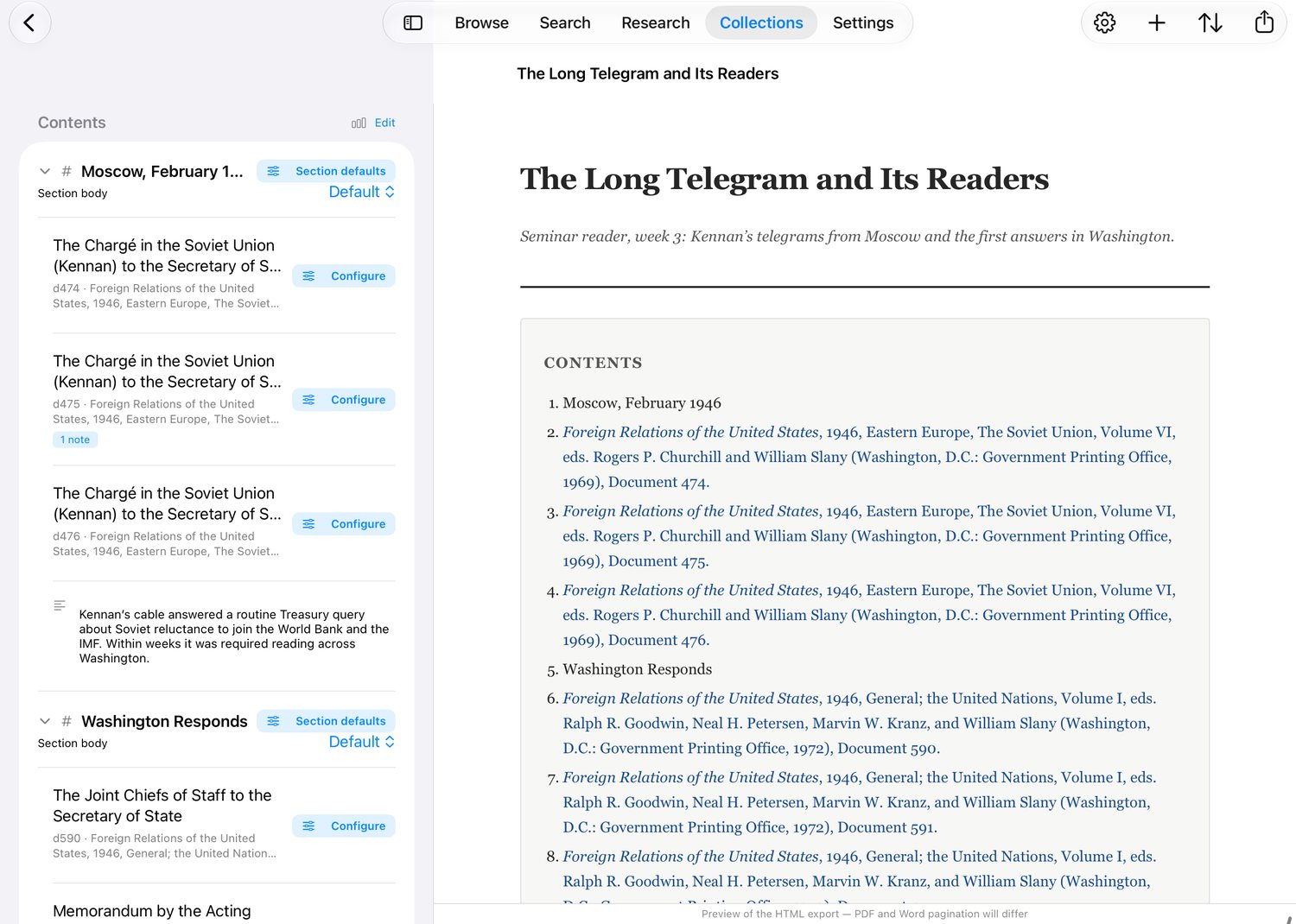
16.Build your own curated document collections
Create your own document collections from the documents you select. Use templates such as Full text with your annotations and Summaries with overview to configure what information to include for each document in one step, or customize settings for each document. Add section headings or your own notes to curate your selections and share your interpretive findings. Incorporate document excerpts, a bibliography, a timeline, a list of people, or other apparatus elements that the app can generate directly from the documents.
Export to PDF, Word or HTML. You can also share a native .fruscollection file with other FRUS Explorer users so they can build off your collection. Your research notes stay out of exports unless you add them.
Export · Mac
17.Share a chart and how you made it
Nearly every chart also exports its raw data as a spreadsheet file (CSV) that also includes a full description of the underlying methodology behind it. Most also export as an image, with the chart's caveats printed under it.
The Person Network graph and Chronology's chart don't export.
Made by the appThe method statement says what was counted, and in which volumes.
Part V
Standing behind your work
FRUS allows researchers to link findings and interpretive judgments about the history of U.S. foreign policy to an evidentiary base of high-value documents widely accessible to all. FRUS Explorer facilitates this opportunity for reproducibility and verification of results.
History and Data & Recovery · iPhone, iPad and Mac
18.Show how you got your results
A claim against the record, such as “mentions of ‘United Nations’ fell after 1950,” has to include a scope of investigation. The app keeps that record as you work. Saving a working corpus fixes a set of documents, so counts made inside it mean the same thing next month, no matter what you download or gets published later. Chart a term's occurrence as a share of all documents, not just a raw count. Nearly every chart exports a spreadsheet that begins with an explanation of its method.
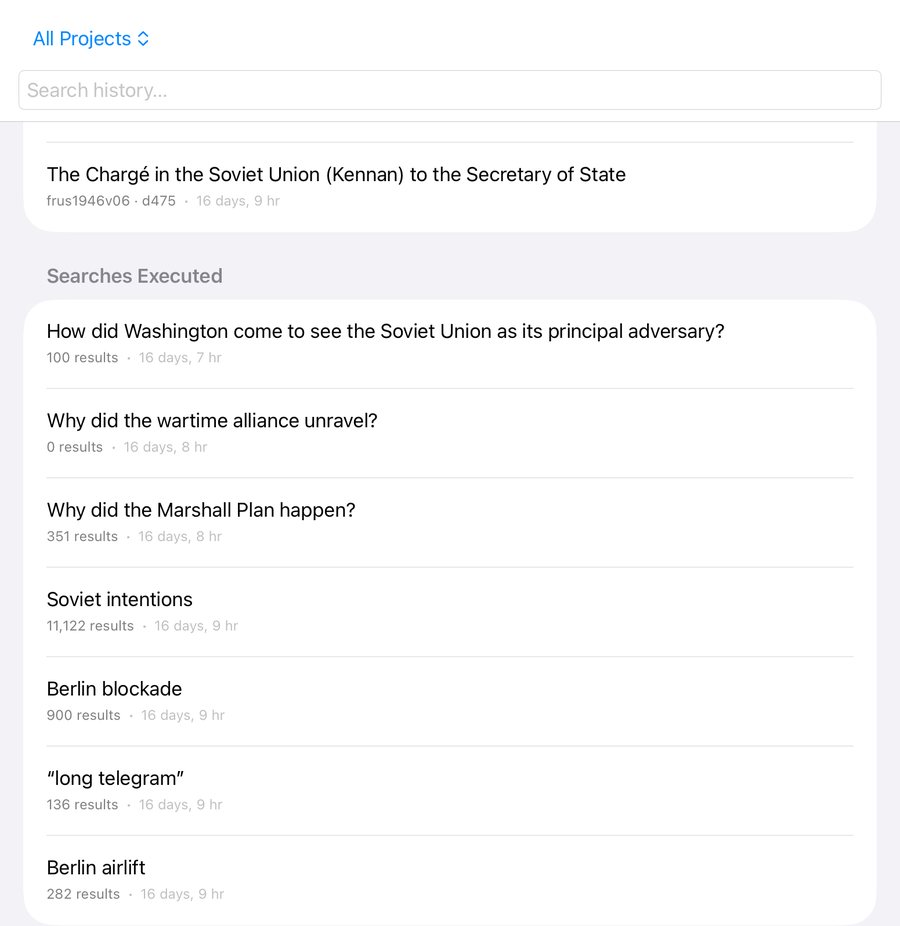
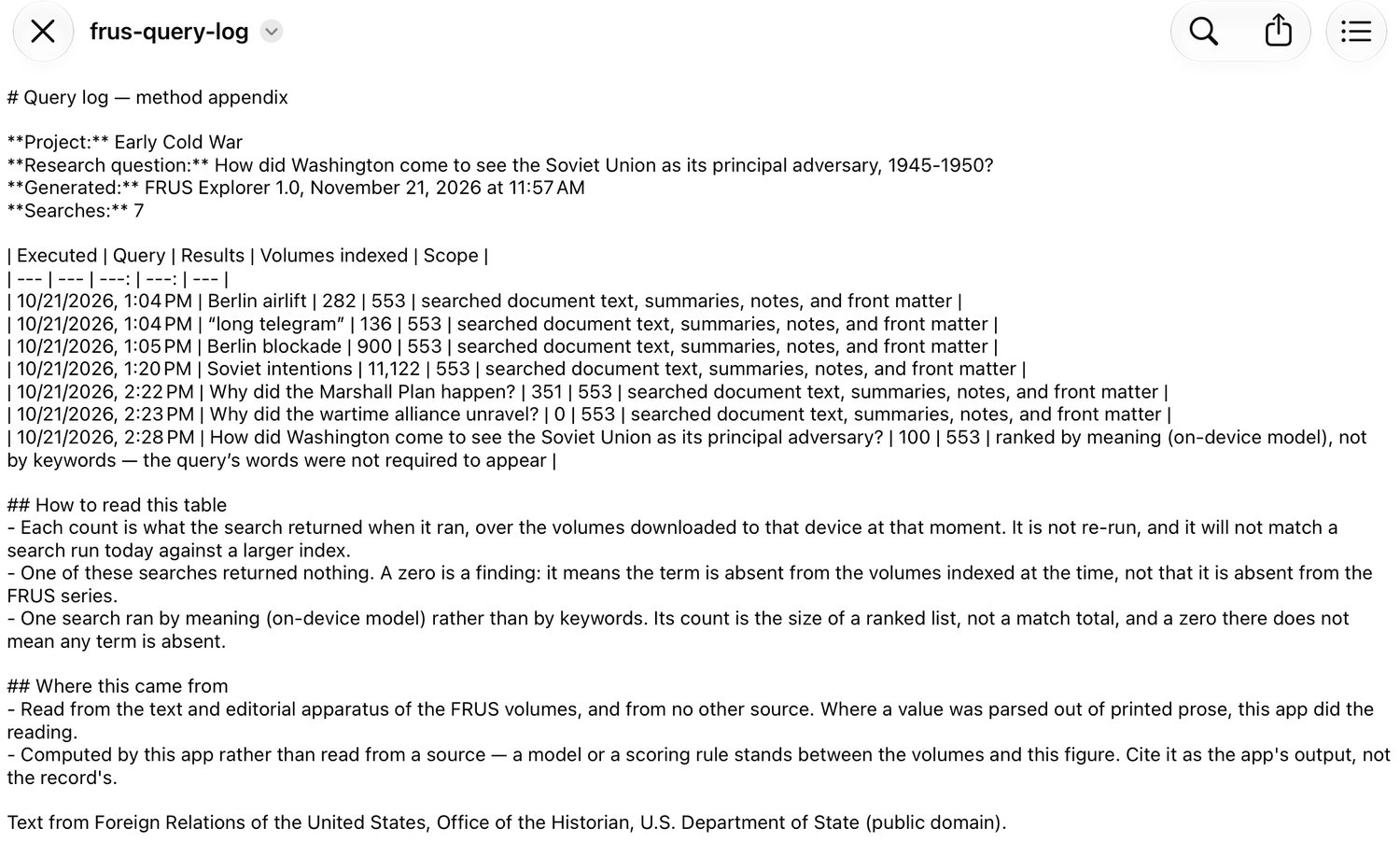
History lists every document you opened, every search you ran, and every collection you exported, filed by project. The method appendix turns your searches into a table for a detailed methods note: when each one ran, what it found, how many volumes were indexed, and what it searched within.
The appendix keeps the searches that found nothing, because “I found nothing” is evidence only when it is anchored to a date and a scope. A count that hit the app's limit is written as a floor, such as “at least 1,000,” never as a total.
Made by the appThe appendix says what each count was drawn from: the volumes' text, or the app's model for a search by meaning.
Search ▸ ••• ▸ Find by citation · iPhone, iPad and Mac
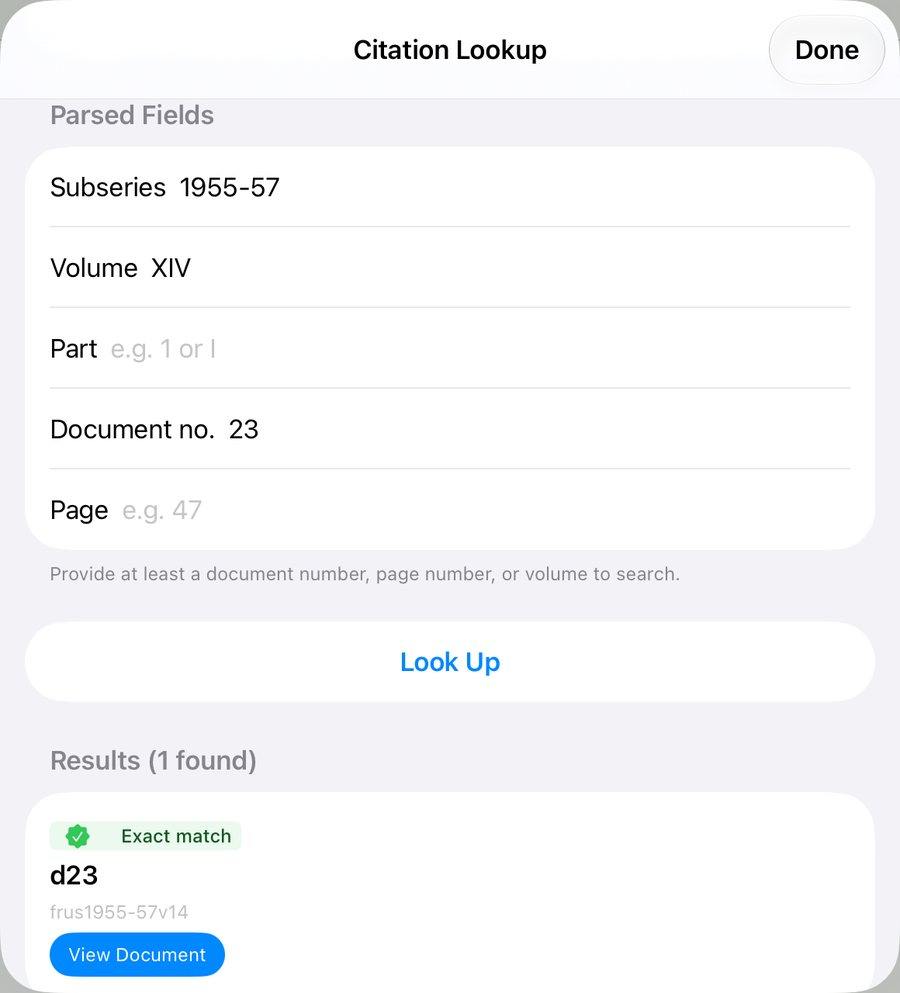
19.Check a citation
Paste a citation from someone else's footnote, and the app opens the document it names, even in a volume you haven't browsed. It reads many of the forms historians write: a Chicago footnote, a short form such as FRUS 1955–57, vol. XIV, doc. 23, a history.state.gov link, or a citation that gives only a page.
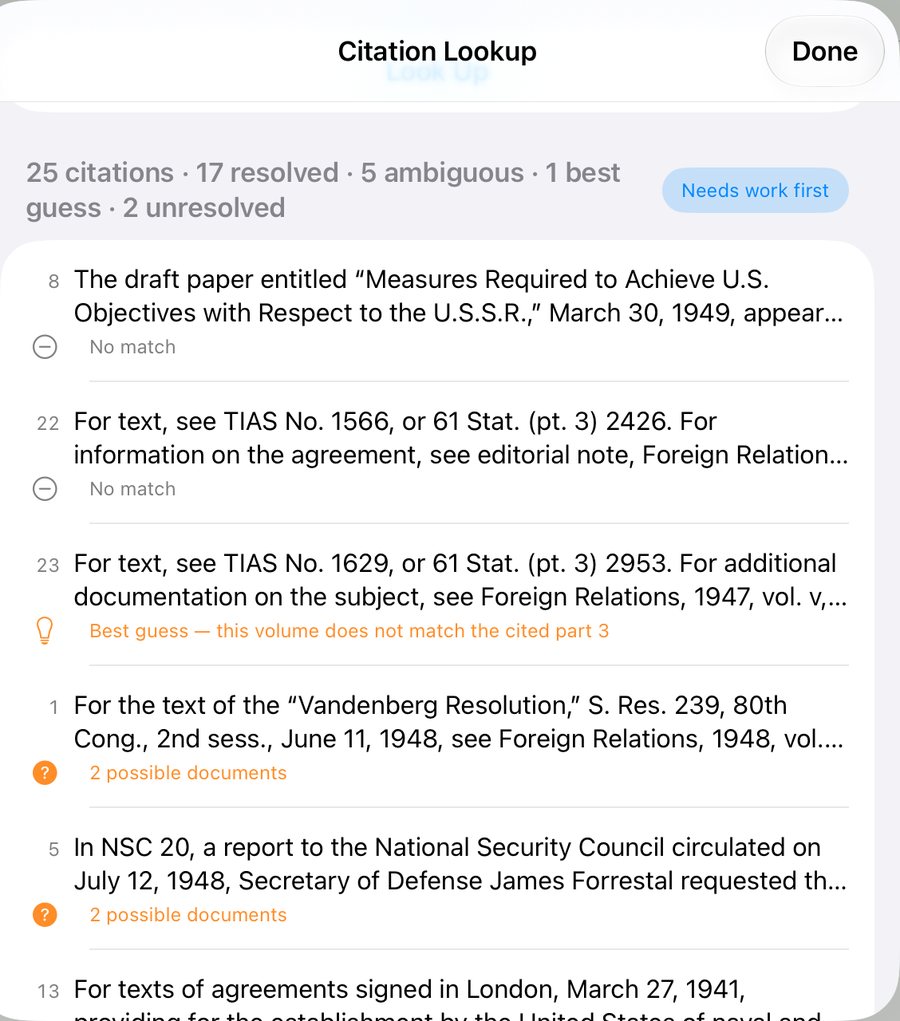
Batch checks a whole chapter's footnotes at once. Each note gets a row that says it was resolved, how many documents it could be, or that nothing matched. A student's FRUS footnote either leads to a real document or it doesn't, so Batch gives teachers an easy way to check these references.
Look up an abbreviation searches the lists of abbreviations in every volume you've indexed. It shows each meaning with the number of volumes that use it.
A page number alone can't say which of several short documents a citation means, so the app lists them all and picks none. Lookup covers the volumes in the app's catalog, not volumes you've added yourself from outside the app's download process.
From the editorsLookup reads the volume titles, document numbers and page breaks of the Office's editions. In the pre-1955 volumes, document numbers were added to the digital editions, and the app says so when it uses one.
Reader and Research · iPhone, iPad and Mac
20.Keep your notes in step with corrections
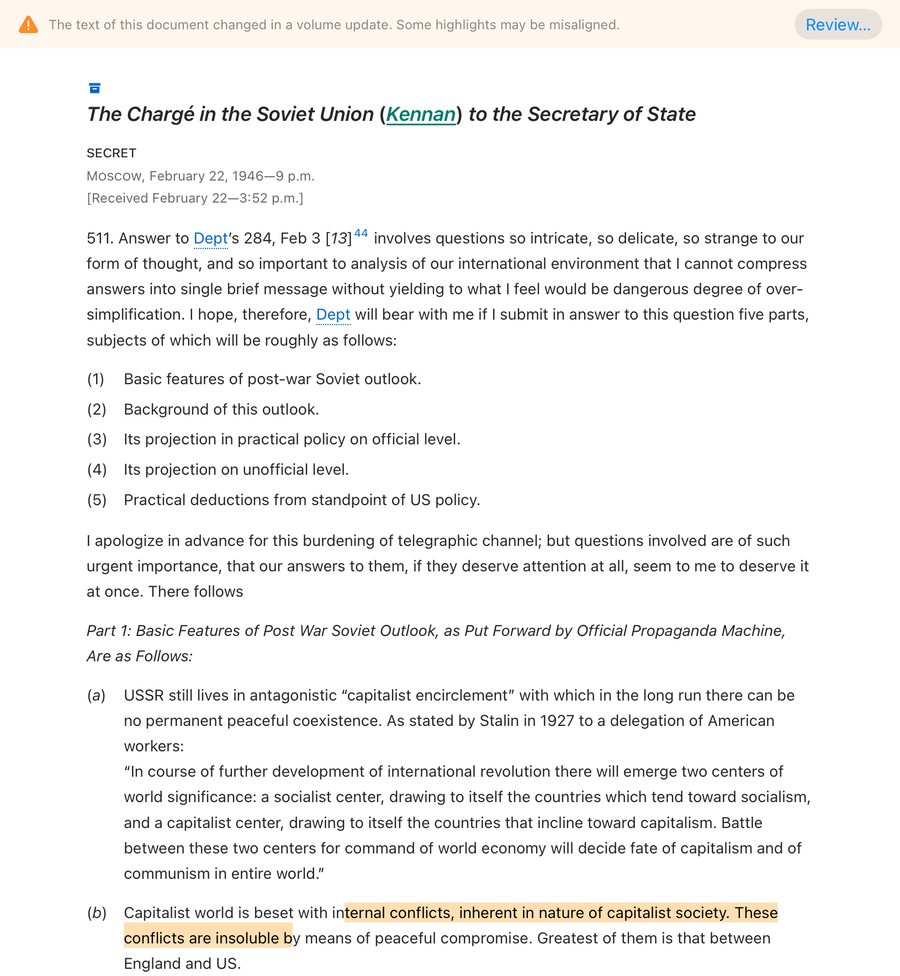
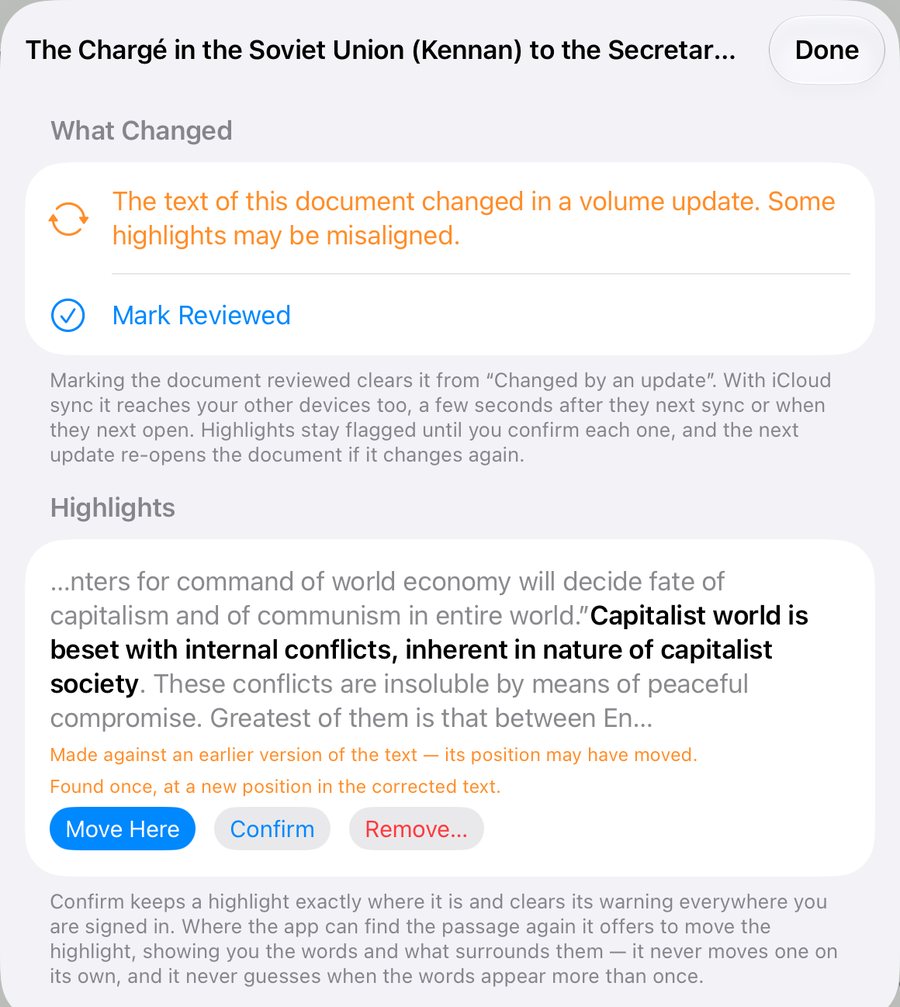
The Office of the Historian sometimes corrects volumes after it publishes them. When a corrected volume arrives, the app compares it with the copy it indexed before. If a document you've marked has changed, a banner says whether the text changed or only the footnotes, source note or heading. Highlights made on the old text turn amber, and Research lists the document under Changed by an update until you review it.
Review… opens a sheet where you decide each case. Confirm keeps a highlight where it is. Move Here appears only when the app finds your exact words in one new place, and it shows you the passage first. The app never moves a highlight on its own.
Each quotation you saved from the document as part of a collection is checked again. The same check runs on every quotation in a collection before it exports. It forgives line breaks and curly quotes, but not changed words, so a paraphrase doesn't pass.
The check warns but never blocks. When it can't check a quotation, it says why instead of calling it wrong. A document that a correction from the Office of the Historian removed from its volume keeps everything you attached to it.
From the editorsThe corrections are the Office's. The app shows what changed and leaves every decision to you.
Bring your own question
FRUS Explorer is free for iPhone and iPad (iOS and iPadOS 26) and for Mac (macOS 26). Download one volume, a subseries or the whole series, and work offline from then on.